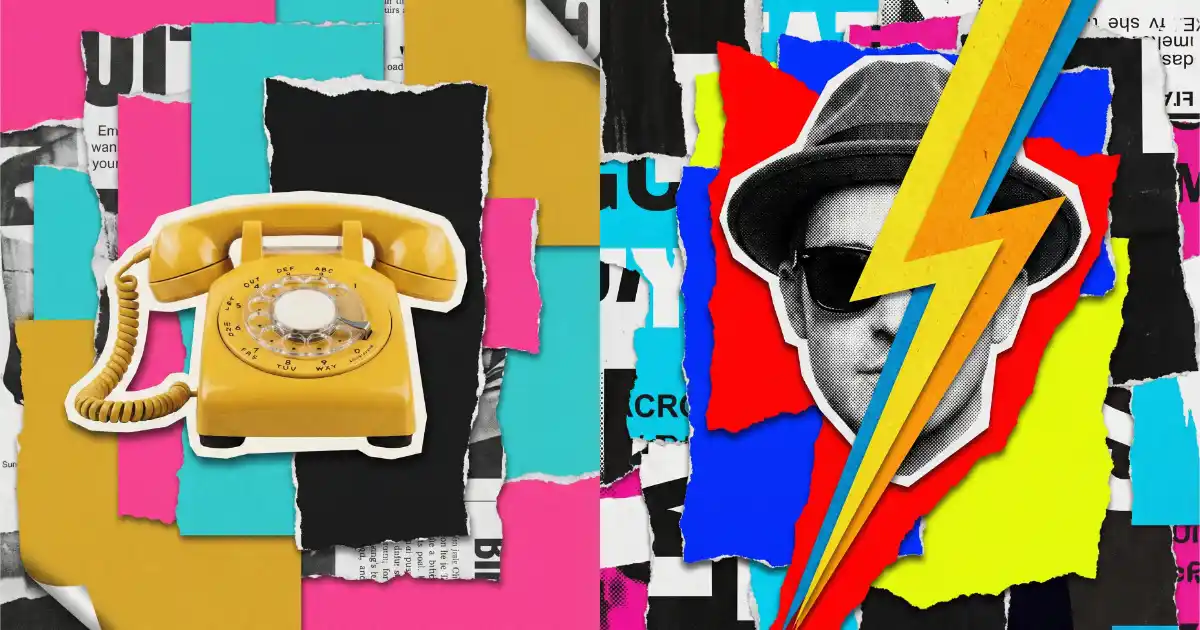
How to Create Torn Paper Style Collages Using Google Gemini

Torn paper collages have this raw, tactile charm that digital art often misses. Think of those vintage magazine cut-and-paste spreads from the ’60s and ’70s, where someone literally ripped pages apart and glued them into something bold and unexpected. The rough edges, the layered textures, the mix of photography and colored paper blocks. It all feels handmade and full of character.
Google Gemini can generate stunning torn paper collages that look like they were assembled by hand on a studio desk. The results are seriously impressive, with visible paper fibers, curled edges, and realistic drop shadows between layers.
I use the Nano Banana Pro model for this because it handles textures and details really well. It creates realistic images and also does a great job with artistic styles like this one.
To get started, go to gemini.google.com or open your Gemini app, create a new conversation, then choose Pro from the model picker. Once you’re in, you can start using the prompt template below.
The Prompt Template
This is the base prompt I use for creating torn paper style collages. You can customize the subject, color palette, and composition to fit whatever you want to create. Just swap out the bracketed sections with your own details.
Create a bold retro pop-art torn paper collage featuring [MAIN SUBJECT]. The composition should be built using layered ripped paper fragments with clearly visible rough and uneven torn edges. Each layer must show realistic paper fiber texture, subtle grain, and slightly curled edges to enhance the handmade feel. The main subject should appear as a cut-out photographic element placed over contrasting torn paper color blocks. Use a high-contrast and saturated color palette such as [INSERT COLOR PALETTE, for example: hot pink, mustard yellow, electric blue, bright red, and deep black]. You may combine black-and-white photographic elements with vibrant colored paper shapes to create strong visual contrast. Arrange the composition asymmetrically with overlapping paper layers to create depth and visual interest. Add subtle drop shadows between the layers to enhance the realistic collage effect. The lighting should be flat and poster-like. Avoid smooth digital gradients, 3D rendering, glossy effects, or overly polished digital finishes. The style should feel like vintage magazine cut-and-paste collage from the 1960s to 1980s, with a bold graphic design aesthetic and a playful, slightly surreal mood. Ensure high resolution with sharp details and a matte paper texture throughout. Aspect ratio 4:5.
The template is detailed on purpose. The more specific you are about the paper texture, torn edges, and layering, the better Gemini handles it. Without those details, you tend to get something that looks too clean and digital.
What Makes This Prompt Work
A few things in this prompt do the heavy lifting. First, mentioning “realistic paper fiber texture, subtle grain, and slightly curled edges” pushes the model to actually render something that looks physical instead of flat and digital.
Second, the instruction to “avoid smooth digital gradients, 3D rendering, glossy effects” is important. Without it, AI models tend to default to a polished look that kills the handmade vibe.
Third, specifying the decade range (“1960s to 1980s”) gives Gemini a clear visual reference point. It pulls the output in the right direction, with that bold graphic design look and slightly surreal mood.
Example Prompts to Try
Here are three prompts you can copy and paste directly into Gemini. Each one uses a different subject and color combination so you can see how flexible the template is.
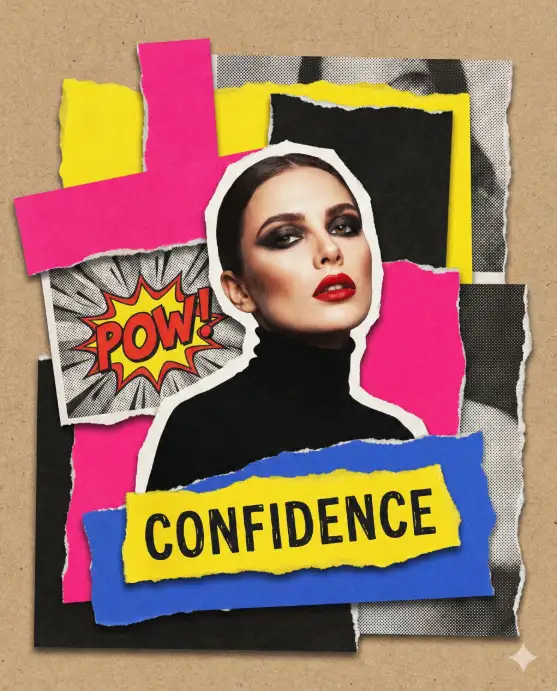
1. Confident Woman with Bold Makeup
This one creates a striking portrait collage with a fashion editorial feel. The mix of black-and-white fragments with bright colored paper makes the subject really pop.
Create a bold retro pop-art torn paper collage featuring a confident woman with bold red lips and dramatic eye makeup. The composition should be built using layered ripped paper fragments with clearly visible rough and uneven torn edges. Each layer must show realistic paper fiber texture, subtle grain, and slightly curled edges to enhance the handmade feel. The woman should appear as a cut-out photographic element placed over contrasting torn paper color blocks. Use a high-contrast and saturated color palette such as hot pink, bright yellow, cobalt blue, and deep black. Combine black-and-white paper fragments with vibrant colored paper shapes to create strong visual contrast. Arrange the composition asymmetrically with overlapping paper layers to create depth and visual interest. Add subtle drop shadows between the layers to enhance the realistic collage effect. The lighting should be flat and poster-like. Avoid smooth digital gradients, 3D rendering, glossy effects, or overly polished digital finishes. The style should feel like vintage magazine cut-and-paste collage from the 1960s to 1980s, with a bold graphic design aesthetic and a playful, slightly surreal mood. Ensure high resolution with sharp details and a matte paper texture throughout. Aspect ratio 4:5.
2. Vintage Yellow Rotary Telephone
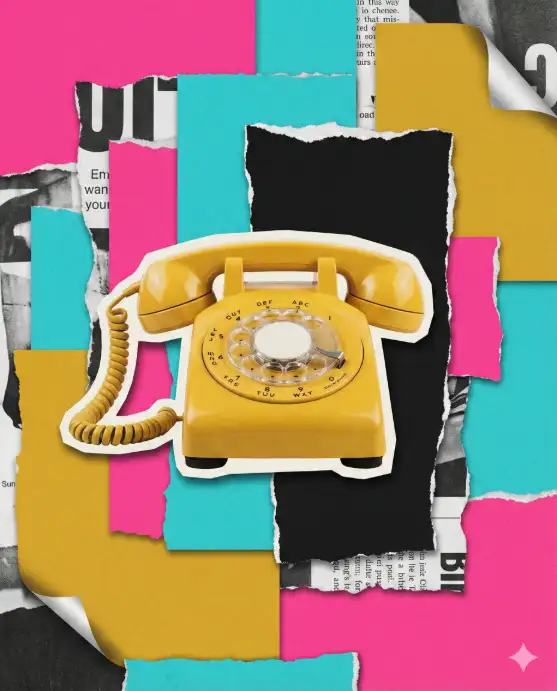
Object-based collages have a cool retro poster vibe. This one uses a classic rotary phone as the centerpiece, which fits perfectly with the vintage aesthetic.
Create a bold retro pop-art torn paper collage featuring a vintage yellow rotary telephone. The composition should be built using layered ripped paper fragments with clearly visible rough and uneven torn edges. Each layer must show realistic paper fiber texture, subtle grain, and slightly curled edges to enhance the handmade feel. The telephone should appear as a cut-out photographic element placed over contrasting torn paper color blocks. Use a high-contrast and saturated color palette such as hot pink, turquoise, mustard yellow, and black. Combine black-and-white paper fragments with vibrant colored paper shapes to create strong visual contrast. Arrange the composition asymmetrically with overlapping paper layers to create depth and visual interest. Add subtle drop shadows between the layers to enhance the realistic collage effect. The lighting should be flat and poster-like. Avoid smooth digital gradients, 3D rendering, glossy effects, or overly polished digital finishes. The style should feel like vintage magazine cut-and-paste collage from the 1960s to 1980s, with a bold graphic design aesthetic and a playful, slightly surreal mood. Ensure high resolution with sharp details and a matte paper texture throughout. Aspect ratio 4:5.
3. Stylish Man with Lightning Bolt
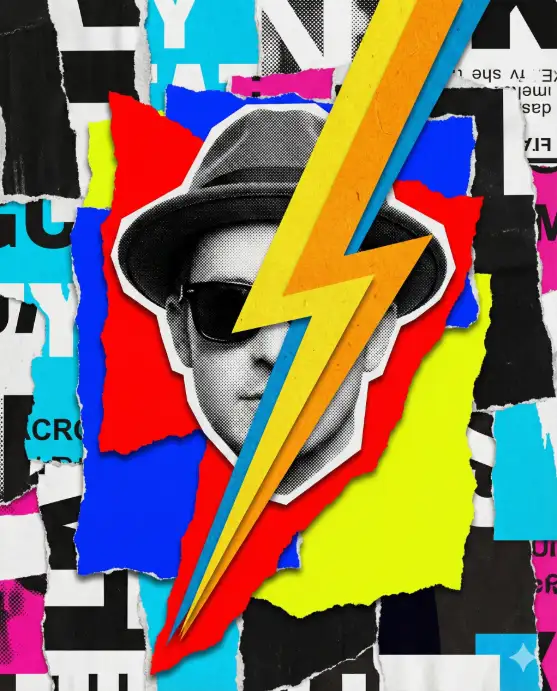
Adding graphic elements like a lightning bolt on top of a portrait gives the collage extra energy. This one has a David Bowie, pop-culture kind of feel to it.
Create a bold retro pop-art torn paper collage featuring a stylish man wearing dark sunglasses, with a colorful lightning bolt layered across the portrait. The composition should be built using layered ripped paper fragments with clearly visible rough and uneven torn edges. Each layer must show realistic paper fiber texture, subtle grain, and slightly curled edges to enhance the handmade feel. The man and lightning bolt should appear as cut-out photographic elements placed over contrasting torn paper color blocks. Use a high-contrast and saturated color palette such as electric blue, bright red, neon yellow, and black. Combine black-and-white paper fragments with vibrant colored paper shapes to create strong visual contrast. Arrange the composition asymmetrically with overlapping paper layers to create depth and visual interest. Add subtle drop shadows between the layers to enhance the realistic collage effect. The lighting should be flat and poster-like. Avoid smooth digital gradients, 3D rendering, glossy effects, or overly polished digital finishes. The style should feel like vintage magazine cut-and-paste collage from the 1960s to 1980s, with a bold graphic design aesthetic and a playful, slightly surreal mood. Ensure high resolution with sharp details and a matte paper texture throughout. Aspect ratio 4:5.
Tips for Better Results
If your first result looks too digital or smooth, try regenerating. Gemini sometimes nails the torn paper look on the second or third attempt.
You can also add extra details to the prompt like “include visible glue marks” or “add small handwritten text fragments on some paper pieces” to push the handmade feel even further.
For the best output quality, make sure you’re using the Pro model with Nano Banana Pro. It handles the paper textures and layered shadows much better than the standard model.
Try mixing different subjects with unexpected color palettes. A black-and-white cat on neon orange and electric green torn paper, or a vintage car on pastel pink and deep navy. The contrast between the subject and the paper colors is what makes these collages look so good.