How to Quickly Turn Your Photo into Cartoon Using ChatGPT

Get our stories first in Google Search
I’ve always loved cartoons. There’s something about them that traditional photos just can’t capture. A good cartoon strips away the clutter and focuses on what really matters. It’s playful, expressive, and somehow more honest than a straight photograph.
Cartoons have been around forever because they work. They make us smile. They simplify reality without losing the soul of what they’re showing. A cartoon version of your face tells a story in a way that’s both funny and endearing.
What used to take artists hours now takes seconds. And honestly, that’s pretty wild.
A few months ago, if you wanted to turn your photo into a cartoon, you had to feed ChatGPT a massive prompt. I’m talking sentences packed with technical instructions about style, shading, line weight, and artistic direction. It was exhausting.
ChatGPT has changed that game completely. The new image generation model, specifically Images 1.5, is incredibly good at understanding what you want. The results are cleaner, more detailed, and way more cartoonish than before.
But here’s the best part: ChatGPT now includes ready-made templates. You don’t have to write anything. You just upload your photo and hit a button. Done.
The Step-by-Step Process
Let me walk you through exactly how to do this. It’s genuinely simple.
Step 1: Get to the Images Section
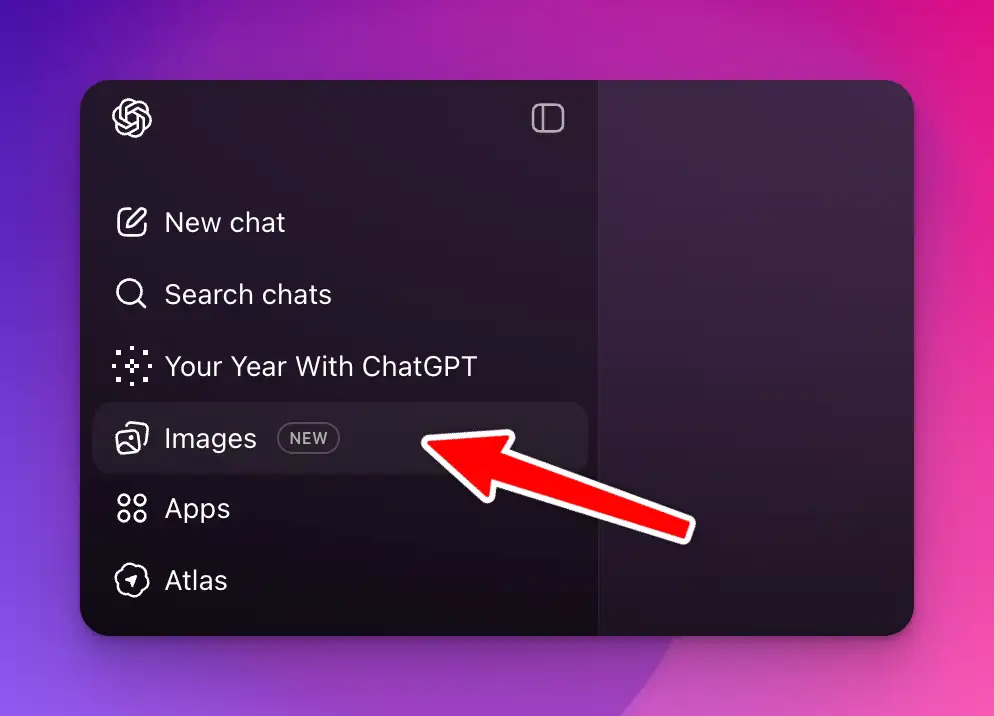
Open ChatGPT on your phone or go to chatgpt.com on your computer. Look for the menu icon. Click it. You’ll see an “Images” option. Tap or click on that.
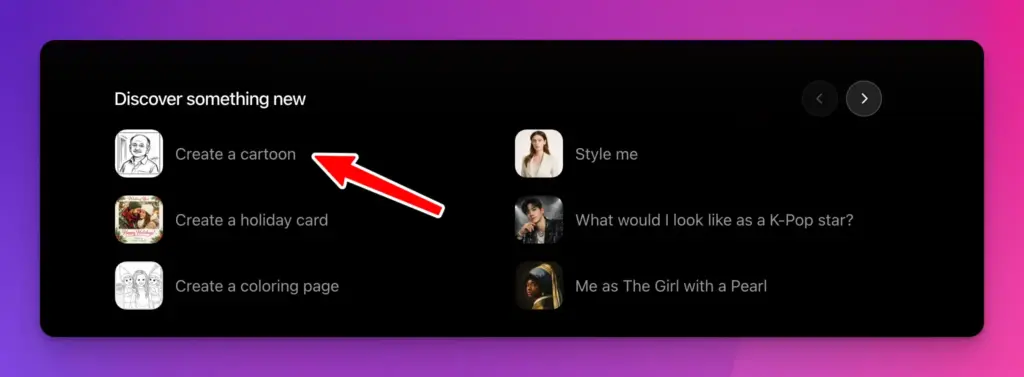
Step 2: Find the Cartoon Template
Scroll down a bit. You’re looking for “Create a cartoon.” Click on it. That’s it.
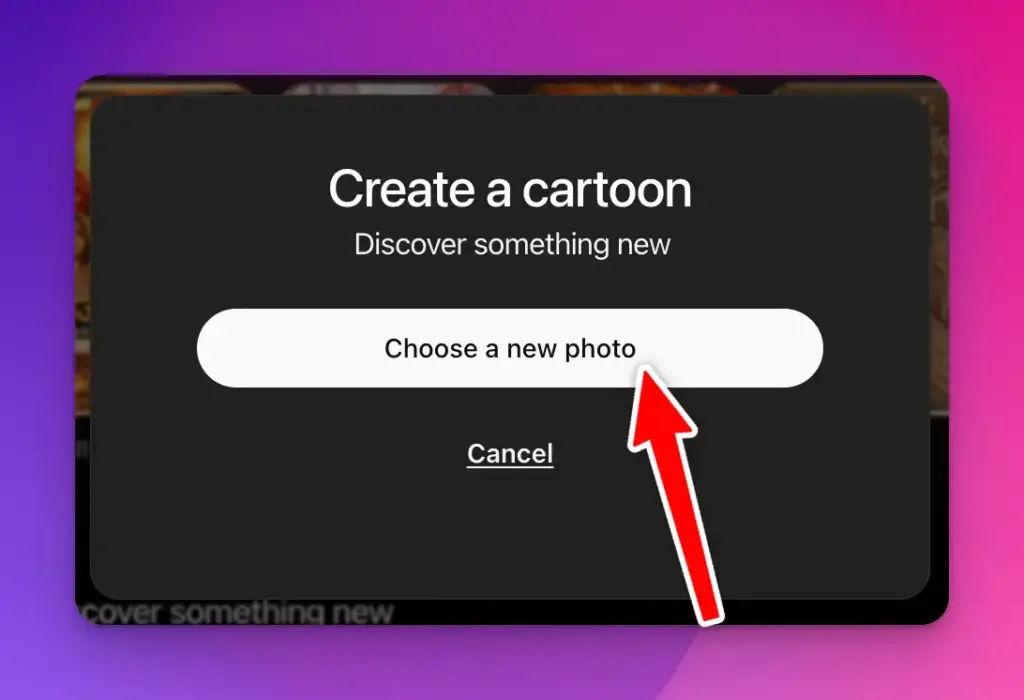
Step 3: Upload Your Photo
The system will ask you to upload a photo. You’ll see a button that says “Choose a new photo.” Click that and pick an image from your device. Any photo works. A selfie, a picture of someone else, a group photo, whatever you want.
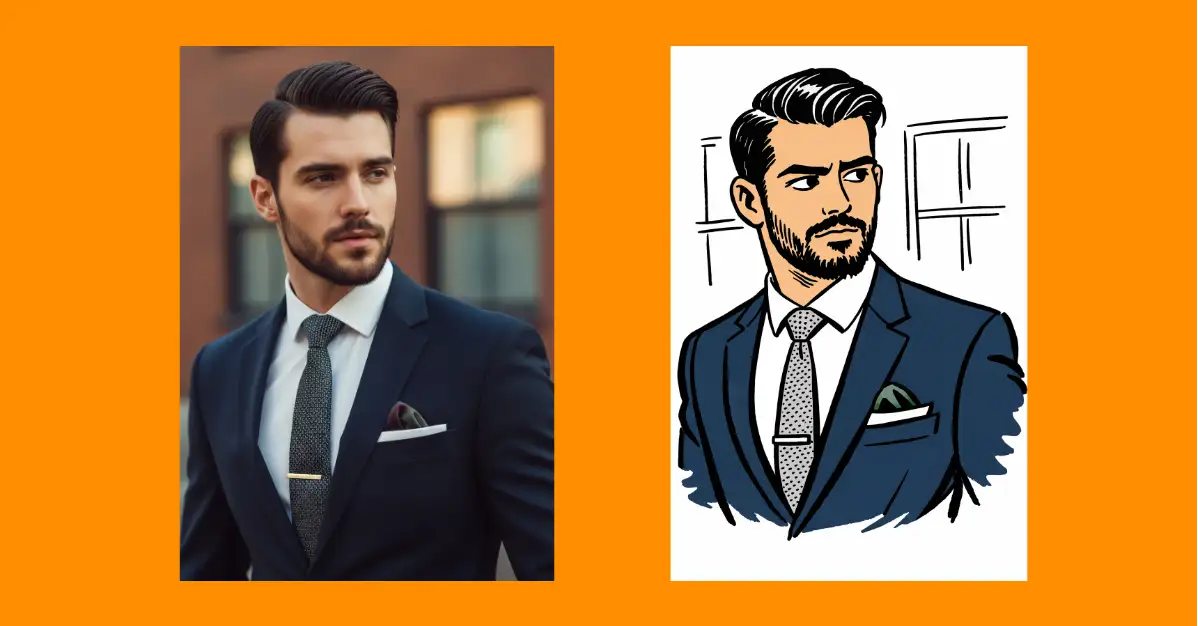
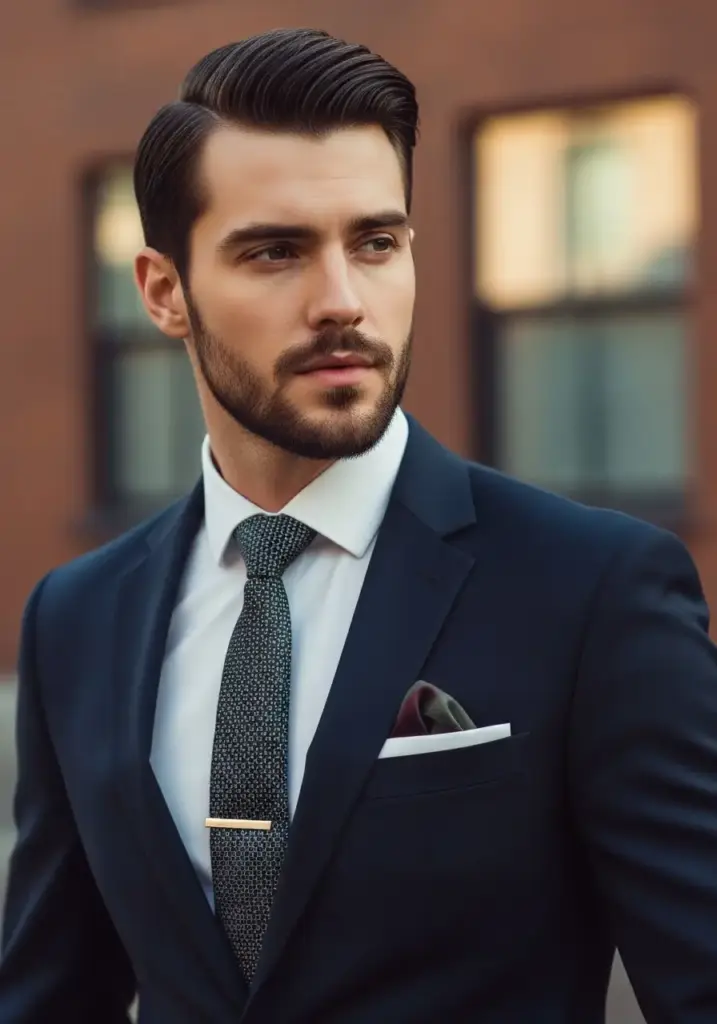
For example, I uploaded the following photo.
Step 4: Wait for the Results
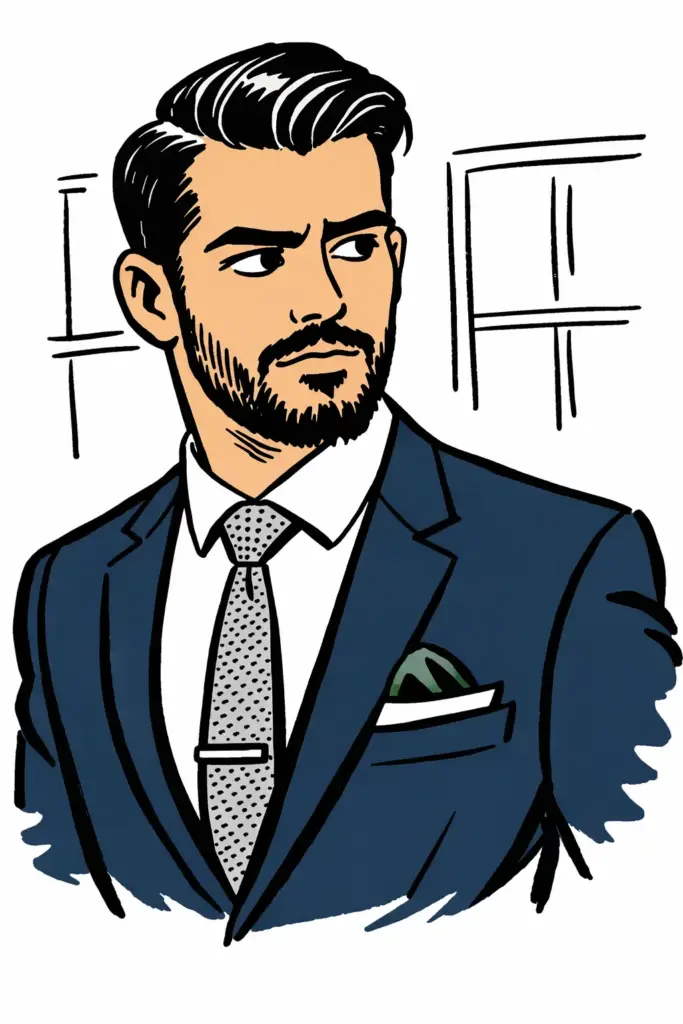
Hit the button to generate. Wait about 10-15 seconds. That’s all it takes.
Your photo is now a cartoon.
What’s Happening Behind the Scenes?
You don’t see it unless you look, but ChatGPT is using a prompt even though you didn’t write one. In my case, when I converted a photo, the prompt was:
Transform the uploaded photo into a cartoon drawn in the style of a famous Indian cartoonist. Keep the image simple, defining forms with just a few confident strokes. Simplify clothing and furniture to bare-minimum linework.
This is actually brilliant. Someone at OpenAI wrote this prompt so you don’t have to. They thought about what makes a good cartoon and baked it into the template.
The prompt tells the AI to use simple lines, to think like a professional cartoonist, and to focus on the essential details. That’s why the results look professional and not like cheap filters from your phone’s camera app.
And you can see this prompt if you want. It’s right there under the generated image. If you’re curious about how AI sees your photo, it’s worth looking at.
Where Can You Actually Use These Cartoons?
This is where it gets fun. A cartoon version of your photo isn’t just a novelty. It has real uses.
Social Media Profiles
Use it as your profile picture on any platform. It stands out. People remember a cartoon version of you more than another standard photo. It’s friendly and approachable. On LinkedIn, Twitter, Instagram, TikTok, wherever. A cartoon version feels more personal.
Content Creation
If you run a blog or YouTube channel, cartoon versions of yourself make great graphics. You can use them in thumbnails, headers, or throughout your posts. They add personality and visual interest without looking too polished or corporate.
Presentations and Videos
Making a presentation for work? A cartoon version of yourself breaks up slides full of text. It makes videos feel more engaging. It shows you’re willing to have fun with how you present yourself.
Stickers and Print Materials
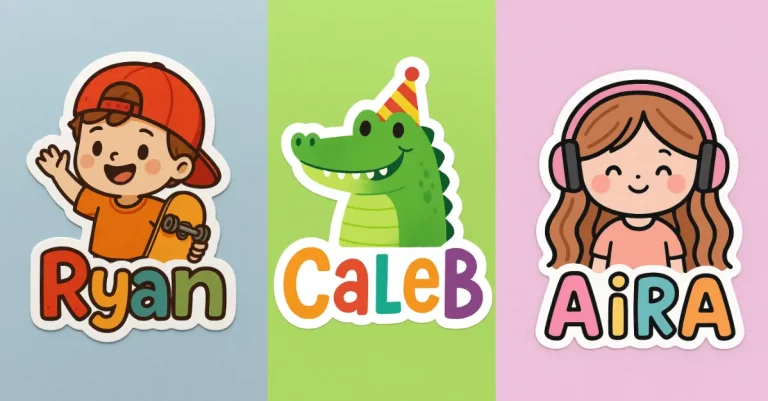
You can download these images and use them anywhere. Print them on stickers, t-shirts, mugs, or business cards. A cartoon version of yourself on a business card is way more memorable than a standard photo.
Team Branding
If you work on a team project or run a small business with others, cartoon versions of your team members can create cohesion. It’s a visual inside joke. It makes your brand feel more human and less corporate.
Book Covers and Illustrations
Writing a book? Using it for a memoir or self-published work? A cartoon illustration of yourself beats a regular photo. It’s cheaper than hiring an illustrator and it captures you in a style that’s appropriate for certain genres.
Marketing Materials
Email newsletters, social media posts, ads. A cartoon version of you in marketing materials gets more clicks and engagement than standard photos. People are drawn to illustrations.
Greeting Cards
Make custom greeting cards with your cartoon face. Send them to friends or family for birthdays or holidays. It’s personal and funny.
The reason this simple tool is so effective is because it removes friction. You don’t need to understand art. You don’t need to write technical prompts. You just upload a photo and get a result that looks professional.
The Images 1.5 model is good enough now that the results are actually usable. They’re not perfect every time, but they’re consistently solid.
And there’s something else: cartoons are timeless. A cartoon version of your photo will look the same way five years from now. A trend-based photo filter won’t.
This is one of those tools that seems small until you actually use it. It’s quick, it’s free (if you have ChatGPT), and it produces something genuinely useful.
I’ve used it a few times now, and I keep finding new ways to use the results. It’s fun. It makes me look at my own face in a different way.
If you’ve never tried it, spend two minutes and do it right now. Upload a photo and see what happens. You’ll probably be surprised by how good it looks.
That’s really all there is to it.