15 Google Gemini Prompts for Realistic LinkedIn Profile Photos

Get our stories first in Google Search
Your LinkedIn profile photo is often the first impression you make on potential employers, clients, and professional connections. A good profile photo can increase profile views and engagement, while a poor one might make people scroll past.
I used to spend a lot of time to create my professional headshot. But with AI, I found a better solution. Google’s latest image model, Gemini Nano Banana Pro, is now considered the best for creating realistic photos. I use it for all my LinkedIn profile photos now.
How to Use These Prompts
Go to gemini.google.com and create a new conversation. Select ‘Pro’ from the model options, then paste your chosen prompt. You can upload your own photo as a reference so the AI can generate images that actually look like you.
All the prompts below are gender neutral and ready to use. Just copy and paste them directly into Gemini.
1. Clean Corporate Headshot
Create a realistic LinkedIn profile photo of a professional person shown from the shoulders up, facing the camera with natural eye contact and a relaxed, confident expression. Use soft natural window light from the front, even skin tones, and minimal shadows. Place the subject against a clean, neutral background with subtle depth blur. Ensure sharp focus, high detail, and a square 1:1 aspect ratio suitable for LinkedIn’s circular crop.

2. Modern Personal Branding Look
Create a realistic LinkedIn profile photo of a modern professional with a friendly and approachable expression, framed from head to shoulders. Use soft daylight with gentle contrast to highlight facial features without harsh shadows. The background should be softly blurred, minimal, and professional, such as a light office or plain wall. Keep colors natural, clothing professional, and the image sharp in a square 1:1 format.

3. Executive-Style Portrait
Create a realistic LinkedIn profile photo of an experienced professional conveying leadership and credibility, captured in a head-and-shoulders composition. Use controlled studio lighting with soft highlights and balanced shadows. The background should be simple and neutral, slightly darker to enhance contrast. Maintain a calm, confident expression, natural skin texture, high realism, and a clean square aspect ratio.

4. Creative Professional Headshot
Create a realistic LinkedIn profile photo of a creative professional with a subtle, confident smile and direct eye contact. Use soft natural light with a warm tone and gentle background blur for depth. Frame the subject from shoulders upward, keeping the composition balanced and uncluttered. Ensure realistic facial details, professional clothing, and a square 1:1 crop optimized for LinkedIn.
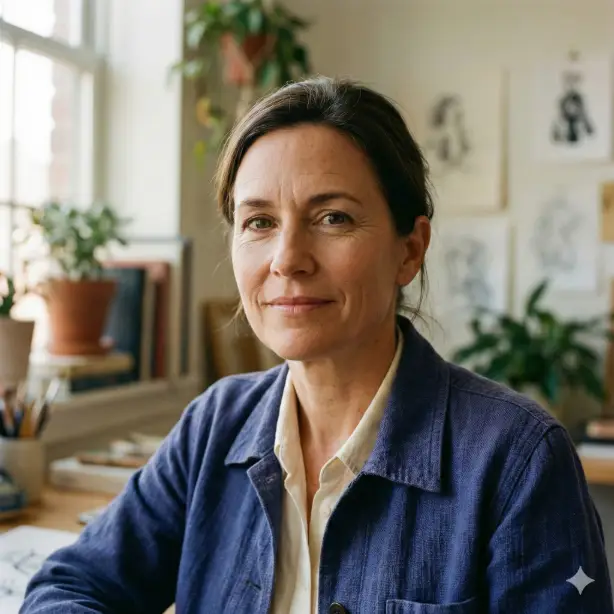
5. Casual Professional Look
Create a realistic LinkedIn profile photo of a professional person with a relaxed yet polished appearance, shown from the shoulders up. Use natural outdoor shade or diffused daylight for soft, even lighting. The background should be minimal and lightly blurred, keeping focus on the face. Maintain sharp clarity, realistic skin texture, professional styling, and a square 1:1 aspect ratio.

6. Neutral Studio Professional
Create a realistic LinkedIn profile photo of a professional person captured in a studio-style setting, framed from the shoulders up with balanced composition. Use soft, diffused lighting that evenly illuminates the face and avoids harsh shadows. Keep the background plain and neutral to maintain focus on the subject. Ensure natural facial texture, professional attire, high sharpness, and a square 1:1 aspect ratio.
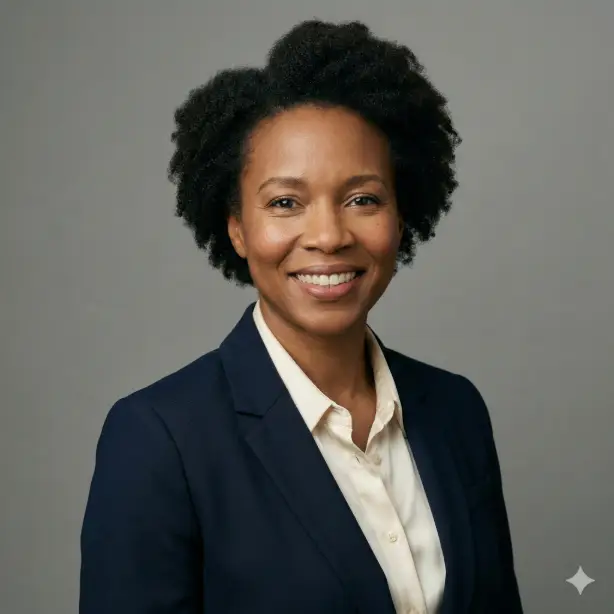
7. Confident Minimalist Headshot
Create a realistic LinkedIn profile photo of a confident professional with a calm, approachable expression and direct eye contact. Frame the image from head to shoulders with proper spacing for circular cropping. Use clean natural lighting and a minimalist background with subtle blur. Maintain accurate skin tones, realistic details, professional clothing, and a square 1:1 format.

8. Soft Corporate Office Look
Create a realistic LinkedIn profile photo of a professional person standing or seated near a modern office environment, framed from the shoulders up. Use soft ambient daylight combined with gentle fill light for balanced exposure. The background should be lightly blurred and uncluttered. Keep the expression professional and friendly, with high realism, crisp focus, and a square 1:1 aspect ratio.

9. Calm Leadership Presence
Create a realistic LinkedIn profile photo of a professional conveying calm leadership and trust, shown from the shoulders up. Use soft studio lighting with smooth gradients and controlled contrast. Place the subject against a neutral background with subtle depth. Maintain natural skin texture, professional styling, a composed expression, and a square 1:1 crop suitable for LinkedIn.
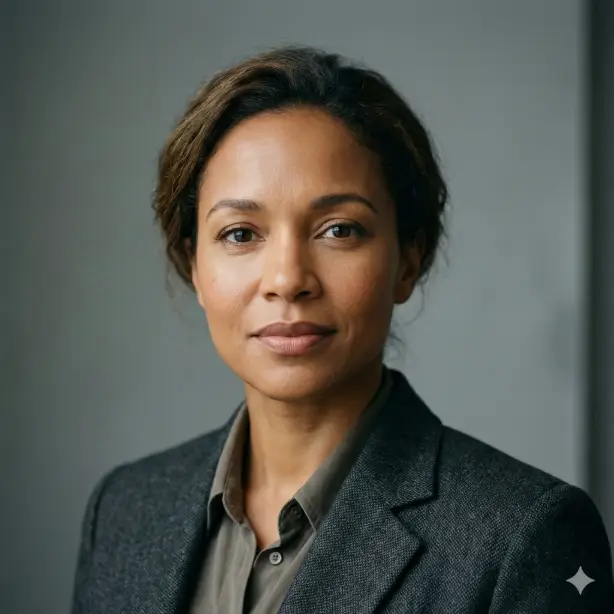
10. Natural Daylight Headshot
Create a realistic LinkedIn profile photo of a professional person photographed using natural daylight, framed from head to shoulders with clean composition. Use soft window light to produce even illumination and gentle shadows. The background should be simple and slightly blurred. Ensure accurate facial details, professional appearance, high clarity, and a square 1:1 aspect ratio.

11. Polished Professional Headshot
Create a realistic LinkedIn profile photo of a professional person shown from the shoulders up with a polished and composed appearance. Use soft, balanced lighting that highlights facial features naturally without harsh shadows. Place the subject against a clean, neutral background with slight depth blur. Maintain professional clothing, realistic skin texture, sharp focus, and a square 1:1 aspect ratio.

12. Friendly Trust-Building Portrait
Create a realistic LinkedIn profile photo of a professional person with a warm, approachable expression and gentle smile. Frame the image from head to shoulders with proper spacing. Use natural daylight with soft contrast and accurate skin tones. Keep the background simple and uncluttered, ensuring high realism and a square 1:1 format.

13. Contemporary Business Look
Create a realistic LinkedIn profile photo of a modern business professional captured in a head-and-shoulders composition. Use clean, diffused lighting with neutral color balance for a natural look. The background should be minimal and softly blurred to keep attention on the face. Ensure professional attire, fine facial detail, and a square 1:1 aspect ratio.

14. Subtle Creative Professional
Create a realistic LinkedIn profile photo of a professional with a subtle creative touch, maintaining a refined and credible appearance. Use soft natural light and a lightly textured but minimal background. Frame the subject from shoulders upward with clear facial visibility and calm eye contact. Preserve natural skin detail, professional styling, and a square 1:1 crop.
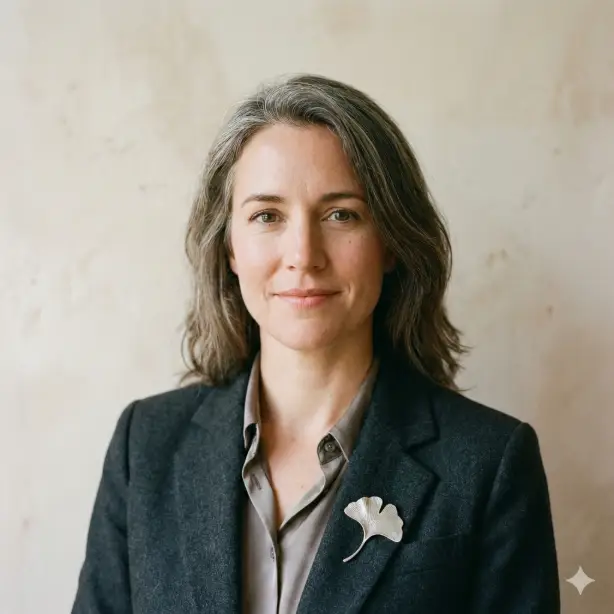
15. Calm and Approachable Presence
Create a realistic LinkedIn profile photo of a professional person with a calm, approachable presence and direct eye contact. Use soft studio or window lighting to create even illumination across the face. Keep the background neutral and distraction-free. Ensure high image clarity, realistic facial features, professional clothing, and a square 1:1 aspect ratio.
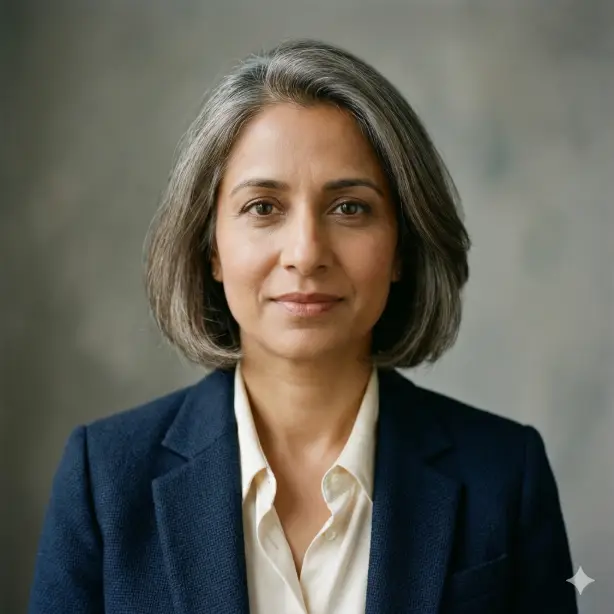
Personalize These Prompts
These base prompts work well as is, but you can make them even better by adding specific details.
Upload a photo of yourself so the AI knows what you look like. Add your profession to the prompt (for example, “marketing manager” or “software engineer”) to get more appropriate styling. You can also specify a background location you prefer, like “modern office,” “bookshelf background,” or “outdoor park setting.”
Try adding clothing preferences too. If you want to wear a specific color blazer or style, mention it in the prompt. The more specific you are, the closer the result will match your vision.
Start with the basic prompt, then add one or two personal details at a time until you get exactly what you need.
Getting a professional LinkedIn photo doesn’t have to cost you hundreds of dollars or require scheduling with a photographer. With these 15 prompts and Google Gemini, you can create multiple high-quality profile photos in minutes.
Try a few different styles to see which one fits your professional brand best. You can generate several options and pick the one that feels most authentic to you.
Your profile photo matters more than you might think. Take a few minutes today to create one that truly represents you. Your future connections will thank you for it.