How to Add Camcorder Effect on Your Photo Using ChatGPT

Get our stories first in Google Search
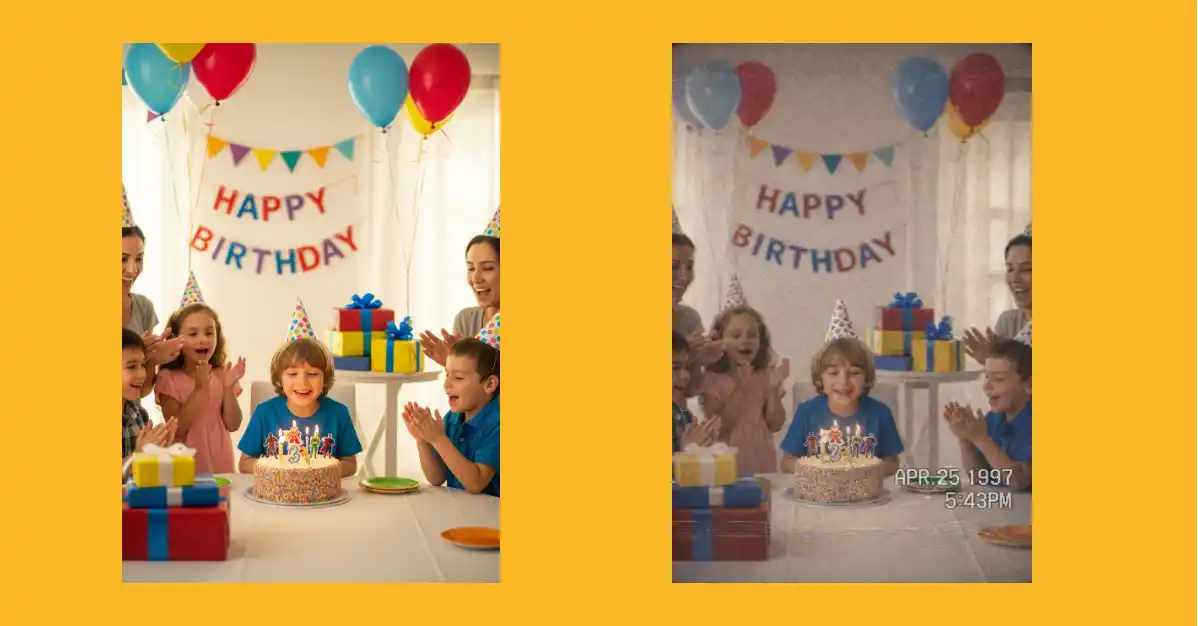
Remember those home videos from the 90s? The ones with that grainy quality, slightly washed-out colors, and that little date stamp in the corner?
That’s the camcorder effect. And honestly, it’s making a huge comeback right now.
People love it because it makes modern photos feel nostalgic and authentic. It’s like taking your perfectly clear digital photo and giving it that “found footage” vibe from old family tapes.
Why ChatGPT is Perfect for This
ChatGPT has the latest Images 1.5 model, and I’ve been testing it out. The quality is seriously impressive now.
What used to take multiple attempts and tweaking now works pretty smoothly. You can turn any photo into a convincing VHS camcorder frame in just a few seconds.
Step-by-Step Guide
Here’s exactly how I do it:
Step 1: Go to chatgpt.com or open the ChatGPT app on your phone.
Step 2: Click the menu icon and select the “Images” option. Or you can just start a new chat and upload your photo there.
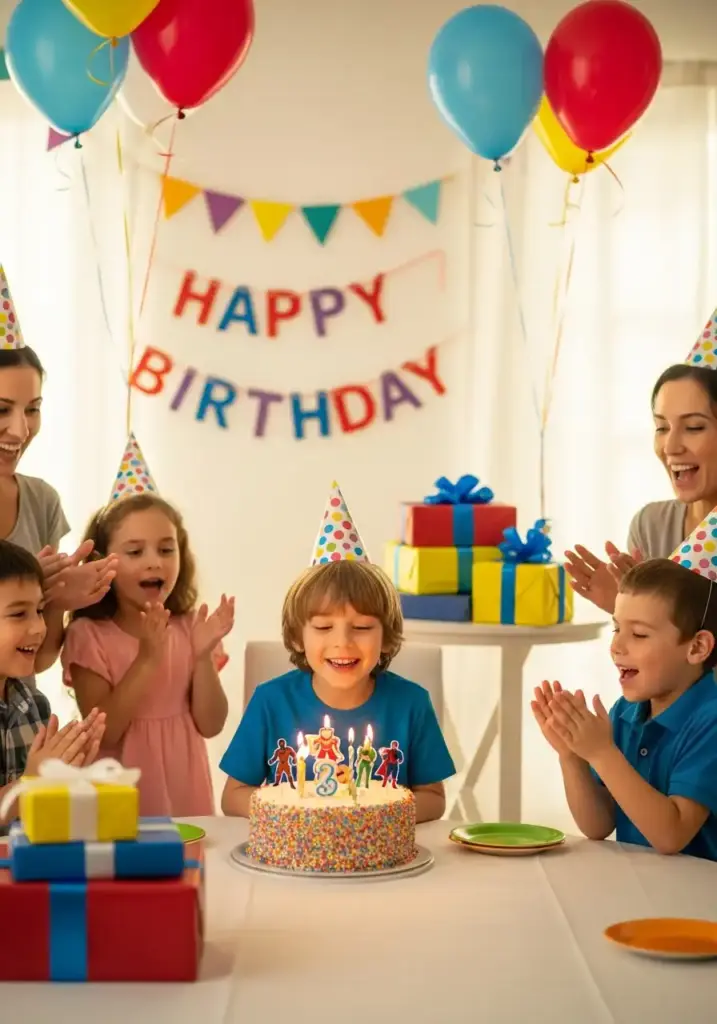
Step 3: Upload the photo you want to transform. I uploaded the following photo.
Step 4: Copy and paste this prompt:
Transform the provided photo into a paused frame from a 1990s consumer VHS camcorder recording. Preserve the original subject, environment, clothing, posture, facial features, proportions, and identity exactly as shown. Do not beautify, stylize, replace, or reinterpret any elements of the image. Do not change the setting, time of day, activity, or composition.
Maintain the original framing and perspective of the photo while introducing authentic handheld camcorder imperfections. Apply VHS-era visual characteristics only: soft focus, slight motion blur where naturally implied, blown highlights, muted and uneven colors, subtle color bleed, analog noise, faint tracking artifacts, and inconsistent exposure.
Add a realistic blocky monospaced VHS camcorder OSD date and time stamp burned into a corner of the frame, consistent with mid-to-late 1990s consumer camcorders. The image should feel candid, imperfect, and nostalgic, like a paused home video still, while remaining a faithful transformation of the original photo with no added narrative elements.
Step 5: Hit enter and wait a few seconds. ChatGPT will process your image and generate the camcorder version.
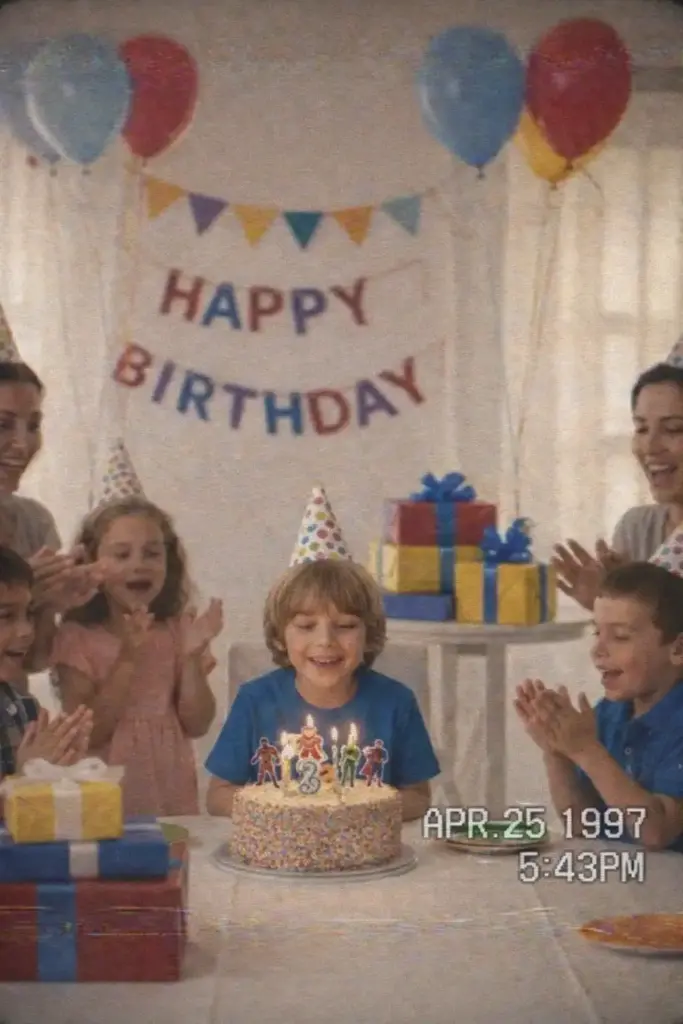
That’s it. No complicated editing software needed.
Break Down of the Prompt
Let me explain what each part of this prompt does:
“Transform the provided photo into a paused frame from a 1990s consumer VHS camcorder recording” tells ChatGPT exactly what aesthetic we’re going for. Not just any retro look, but specifically that VHS camcorder style.
“Preserve the original subject, environment, clothing…” is crucial. Without this, ChatGPT might take creative liberties and change your photo completely. This line keeps everything exactly as it is.
“Do not beautify, stylize, replace, or reinterpret” reinforces that we want a direct transformation, not a reimagined version.
“Maintain the original framing and perspective” ensures your composition stays intact.
“Apply VHS-era visual characteristics only” lists out all those technical imperfections. Soft focus, motion blur, blown highlights, muted colors, color bleed, analog noise, tracking artifacts, and inconsistent exposure. These are what make it look authentic.
“Add a realistic blocky monospaced VHS camcorder OSD date and time stamp” gives you that classic corner timestamp. You know, the one that says something like “12:25 PM 08/15/1997” in that chunky white font.
“The image should feel candid, imperfect, and nostalgic” sets the overall mood. We want it to look like someone just hit pause on an old home video.
Where to Use Camcorder Effects
I see people using this effect in tons of creative ways:
- Social media posts: It stands out in feeds full of crisp, high-resolution images. The nostalgic vibe gets attention.
- Music covers and artwork: If you’re making anything with a retro or indie aesthetic, this fits perfectly.
- Personal projects: Turn recent photos into “memories” that look like they’re from decades ago. Great for birthday posts or throwback content.
- Marketing materials: Brands targeting millennials or Gen Z often use this aesthetic. It feels more authentic and less polished.
- YouTube thumbnails: Especially for content about nostalgia, 90s culture, or anything retro-themed.
- Photo collages: Mix camcorder-effect images with modern ones to create interesting visual contrasts.
The effect works best on casual photos. Party shots, candid moments, outdoor activities. Basically anything that could realistically have been recorded on a home camcorder back in the day.
My Experience Using It
I’ve been playing with this on different types of photos. Portrait shots work great. Group photos too.
The one thing I noticed is that the timestamp sometimes appears in different corners. If you have a preference, you can specify “top right corner” or “bottom left corner” in the prompt.
Also, if your first result isn’t quite right, you can ask ChatGPT to adjust specific things. Like “make the colors more washed out” or “add more grain.”
You can also mention required aspect ratio.
The Images 1.5 model handles these requests pretty well.
This camcorder effect is one of those things that’s way easier to create now than it was even a year ago.
No need for Photoshop skills or vintage camera apps with tons of filters. Just upload your photo, use the prompt, and you’re done.
Give it a try with some of your photos. See which ones look best with that VHS treatment. You might be surprised how much character it adds to even the simplest shots.