How to Turn Your Photo Into a Grunge Movie Poster With ChatGPT

Get our stories first in Google Search
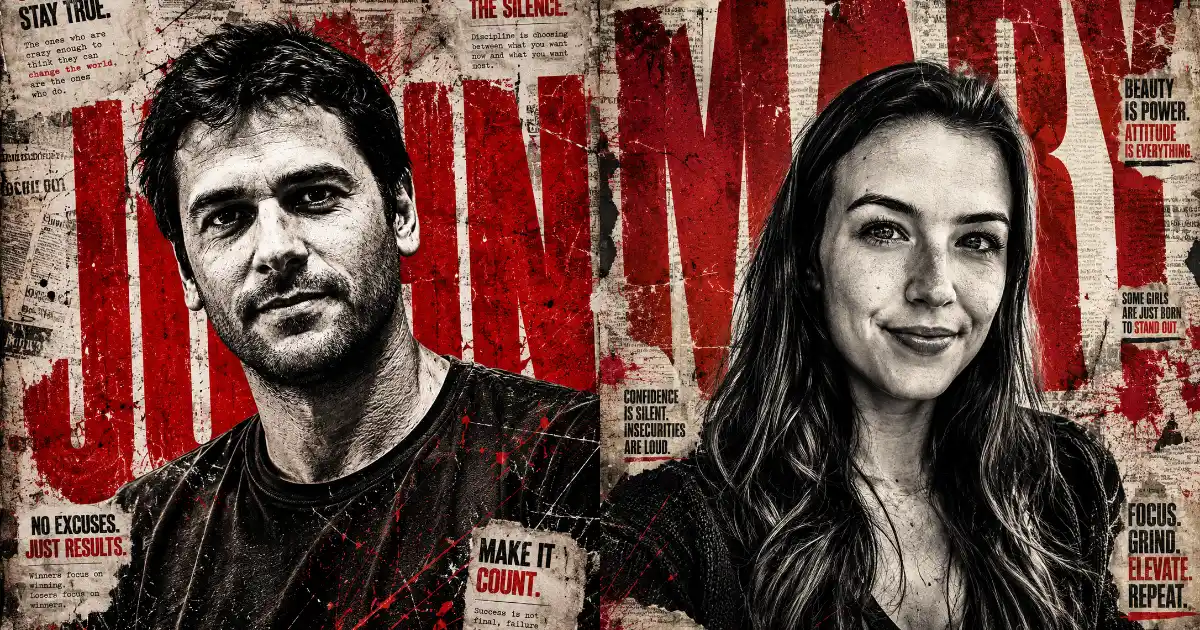
You know those edgy fan-made posters with a black and white portrait, giant red letters behind the person, and torn newspaper textures everywhere? They look like something pulled straight off a cinema wall. I tried recreating that look with ChatGPT and the results came out better than I expected.
The best part is you only need one good photo of yourself and a single prompt. ChatGPT handles the heavy texture, the dramatic lighting, and even places your name in big distressed letters behind you.
In this post I’ll share the exact prompt that gets you this poster style. You can copy it, swap in your own name, and upload your photo to ChatGPT to get the same gritty, high-impact look.
How to Use This Prompt
Open ChatGPT, start a new chat, and upload a clear photo of yourself. A close-up or upper-body shot works best for this style. Try to use a photo where you’re looking slightly upward or off to the side, since that hero pose adds to the dramatic feel.
Then paste the prompt below. Wherever you see [NAME], replace it with your own name in capital letters. Short names of four to six letters look the cleanest as the giant background text, so if your name is long, you can ask for it stacked on two lines instead.
The Grunge Poster Prompt
This is the prompt that gives you the full movie poster look with your name behind the subject. It keeps your face in black and white while everything around it gets the red and grey grunge treatment.
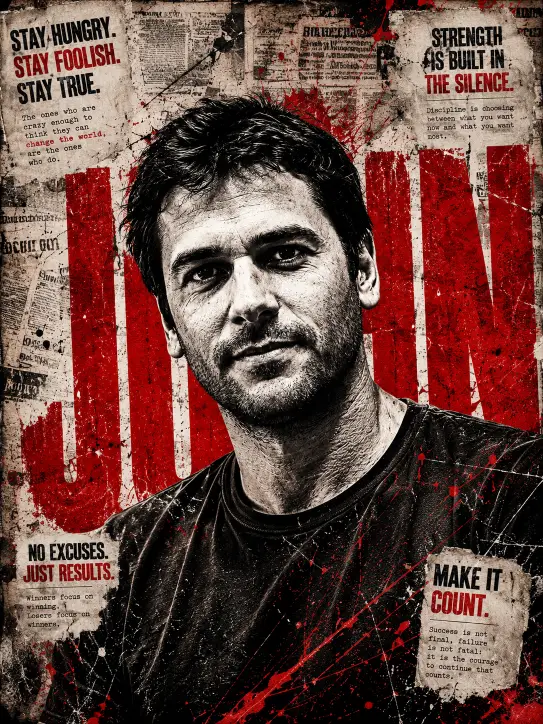
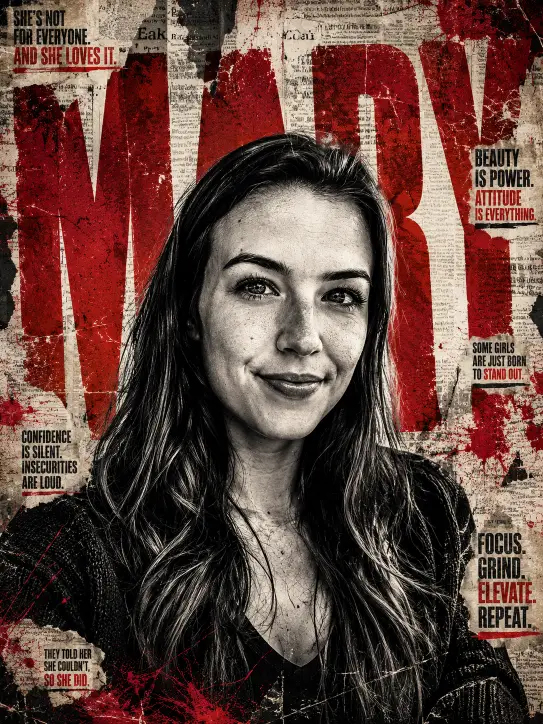
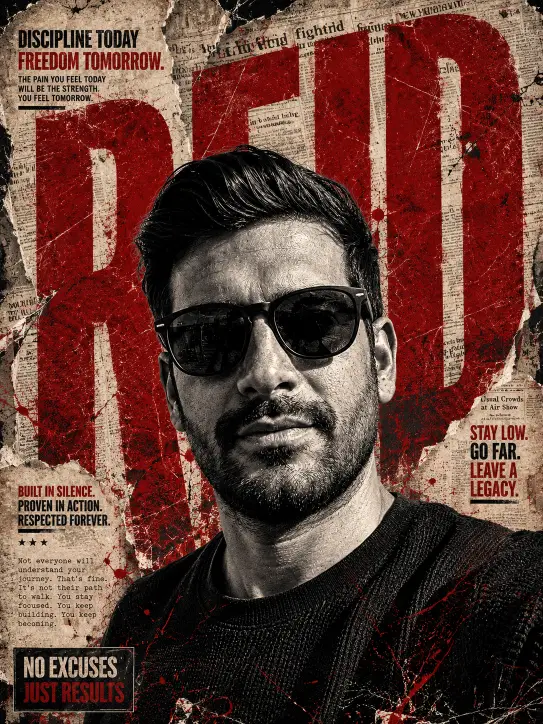
Create a high-contrast grunge poster edit of the uploaded photo. Convert the subject to dramatic black and white with heavy texture, deep shadows, and sharp detail on the face and clothing. Place the subject as the central focus, slightly low angle for a powerful look. Behind the subject, add the large bold text “[NAME]” in massive distressed red capital letters spanning the full height of the image, partially hidden behind the person so the letters peek out from the sides. Add a torn vintage newspaper collage background in faded sepia and grey. Layer aggressive red paint splatters, scratches, and grunge streaks across the frame. Include small scattered magazine-style text blocks and bold punchy quotes in the corners in worn black and red type. Distressed, cracked, edgy editorial magazine cover aesthetic. Use aspect ratio 3:4.
Following are some examples I tried.
Why This Prompt Works So Well
The reason this prompt hits the mark is that it spells out every layer of the poster instead of leaving it vague. It tells ChatGPT to keep the face in black and white while the rest of the frame gets color, which is what creates that strong contrast between you and the chaos around you.
The low angle is a small detail that makes a big difference. Shooting from slightly below makes the subject look taller and more commanding, which is exactly the energy these posters are built on.
The torn newspaper collage and red paint splatters are what sell the grunge feel. Without those texture cues, the image tends to look flat and clean, which is the opposite of what you want here.
Tips for Better Results
The single biggest factor is your source photo. A sharp, well-lit image gives ChatGPT clean detail to work with, while a blurry or dark photo tends to come out muddy. If the first result looks too soft, ask ChatGPT to increase the contrast and texture.
Sometimes the name text comes out misspelled, since AI models still struggle with long words. If that happens, reply with something like “keep the name exactly as [NAME] with no extra letters” and it usually fixes it.
You can also ask for small tweaks after the first image. Try lines like “make the red splatters stronger” or “move the name more to the left so it peeks out from behind the shoulder.” These small adjustments help you get the poster just the way you want it.
Add Your Own Quotes
The prompt already includes punchy magazine-style quotes in the corners, but you can make them personal. After your first image, tell ChatGPT to add a specific line like “DON’T FOLLOW THE CROWD, I AM THE STORM” or “FEAR IS FOR THE WEAK” in the corners.
These short, bold slogans are a big part of why these posters feel so cinematic. Pick one or two lines that match your vibe and the whole piece comes together.
This grunge poster style is one of those edits that looks complicated but really comes down to one detailed prompt and a good photo. Once you have it saved, you can use it again and again just by swapping in different photos and names.
Give it a try with your own picture and see how it turns out. If the first version isn’t quite right, a couple of small follow-up tweaks will usually get you that bold, cinematic poster look.