How to Make Stunning Double Exposure Travel Posters with ChatGPT

Get our stories first in Google Search
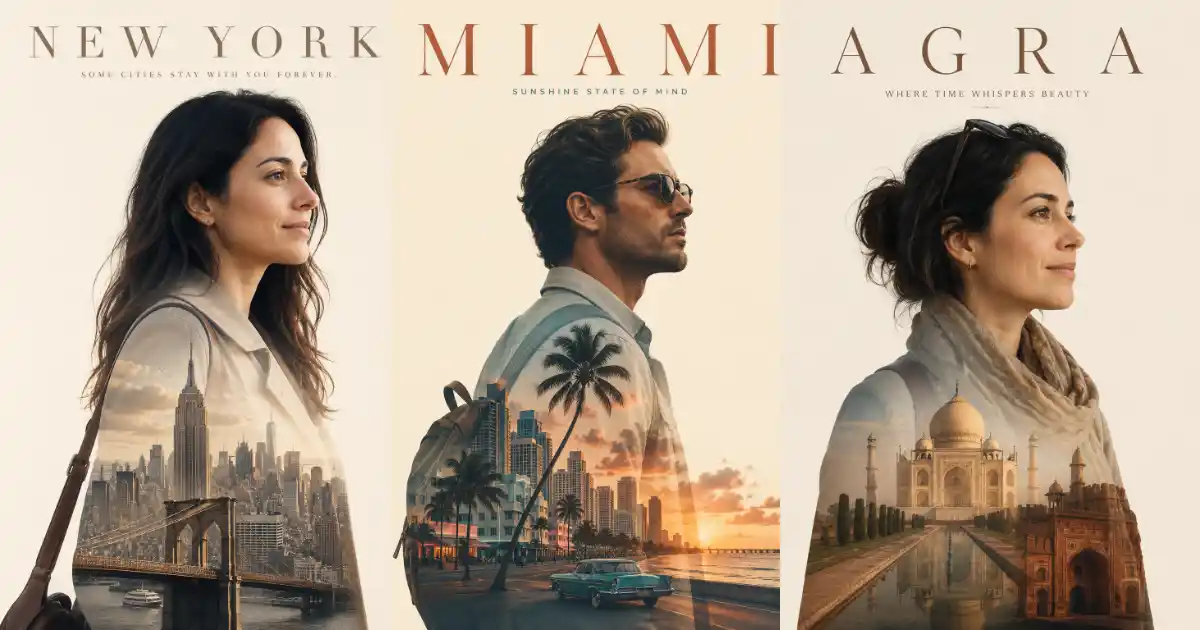
There’s a certain type of travel poster that keeps showing up on X and Instagram lately. A clean side profile of a person, and inside their silhouette, the landscape of a place they love. The face stays sharp while the body becomes the scenery. It looks like a movie poster, and people stop scrolling to look at it.
The good news is you can make these yourself in a few minutes using ChatGPT and its built in image generator. You just need a good prompt and a clear photo of yourself.
The best part about this style is how little you have to type. Once you have the template right, you only need to swap the name of the place. ChatGPT handles the scenery, the colors, and even the tagline based on the location you pick.
The Set Up
Head to chatgpt.com or open the ChatGPT app and start a new chat. Image generation is built right in, so you don’t need to switch to any special mode. If you’re on a free plan you’ll get a limited number of images, while a paid plan gives you more room to make a full set.
Now upload a clear photo of yourself using the attach button in the chat box. A side profile works best for this style, since the silhouette is the whole point, but a clean front-facing photo works too.
Once your photo is uploaded, you’re ready to paste the prompt.
The Prompt Template
This is the prompt that does all the work. Save it somewhere you can find it again, because you’ll want to reuse it for every place you visit.
Create a minimalist double exposure travel poster for me. The main subject is a stylish traveler shown in a clear silhouette in profile, easily recognizable from the attached photo, dressed in simple neat travel clothes. Keep the face and head sharp, while the body becomes the canvas for a beautiful double exposure of [PLACE]’s most iconic scenery. Set against a clean cream background with a matching cinematic color palette, soft natural lighting, photorealistic detail. Place the name “[PLACE]” at the top in large, elegant, widely spaced serif capitals with a small fitting tagline below. Use aspect ratio 3:4.
The only thing you change is [PLACE]. Drop in Goa, Paris, Bali, or wherever you’re dreaming about, and ChatGPT fills in the rest. It picks scenery that suits the location, chooses colors that match the mood, and even writes a short tagline that fits the vibe.
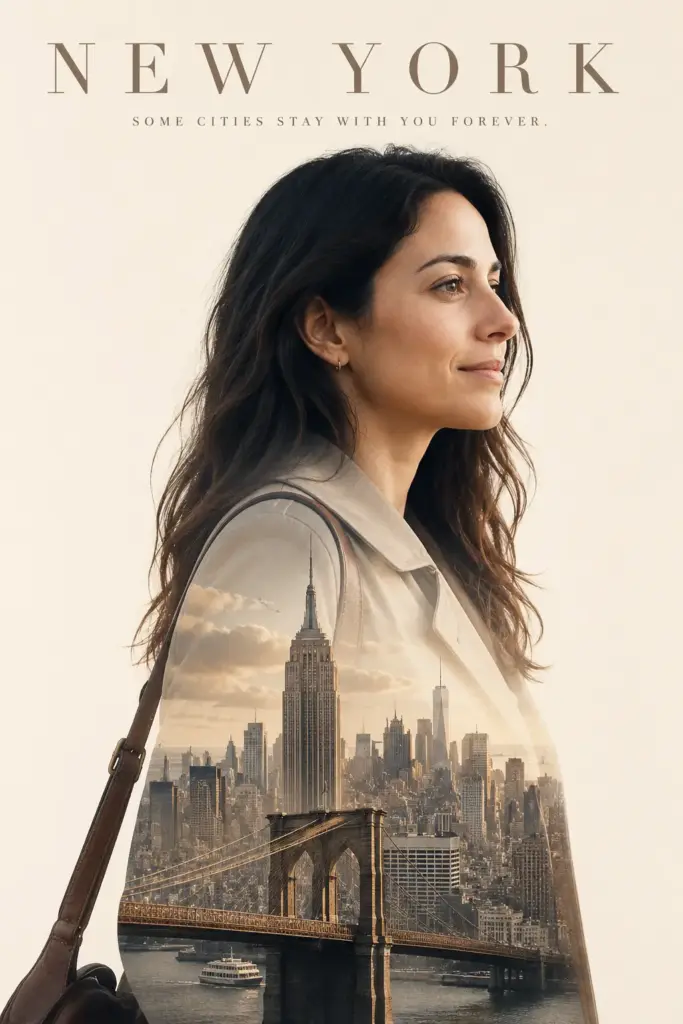
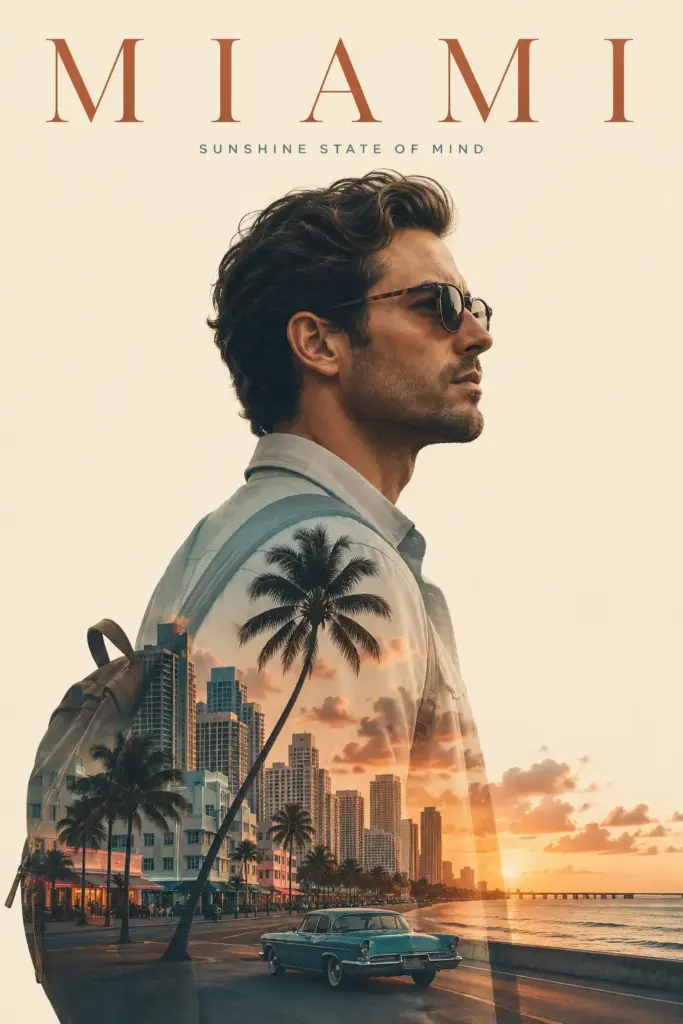
Following are some examples I tried.
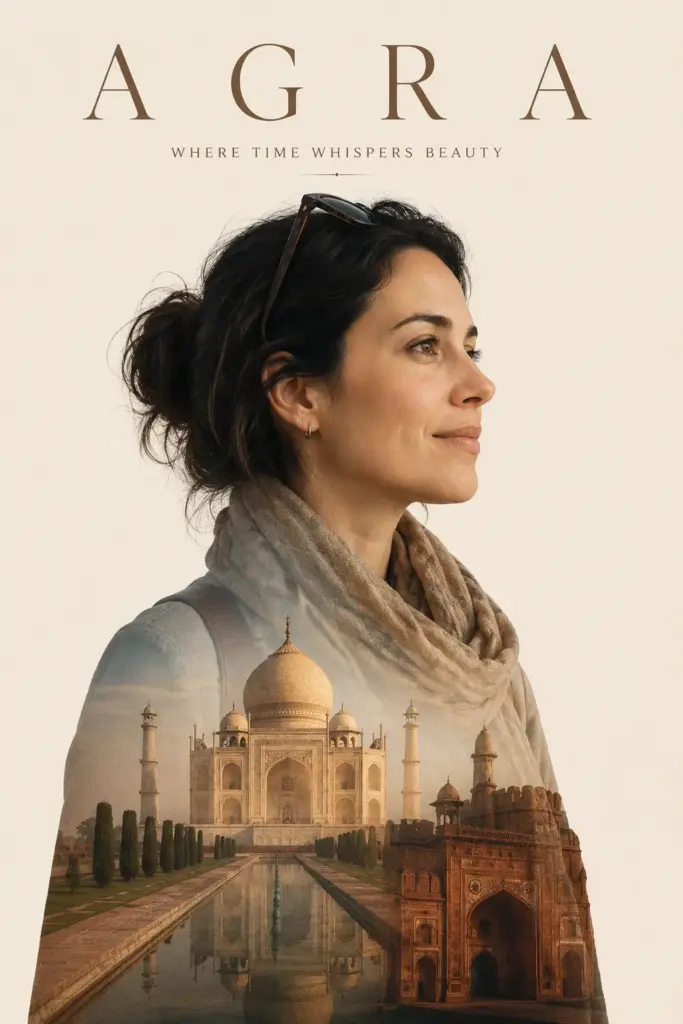
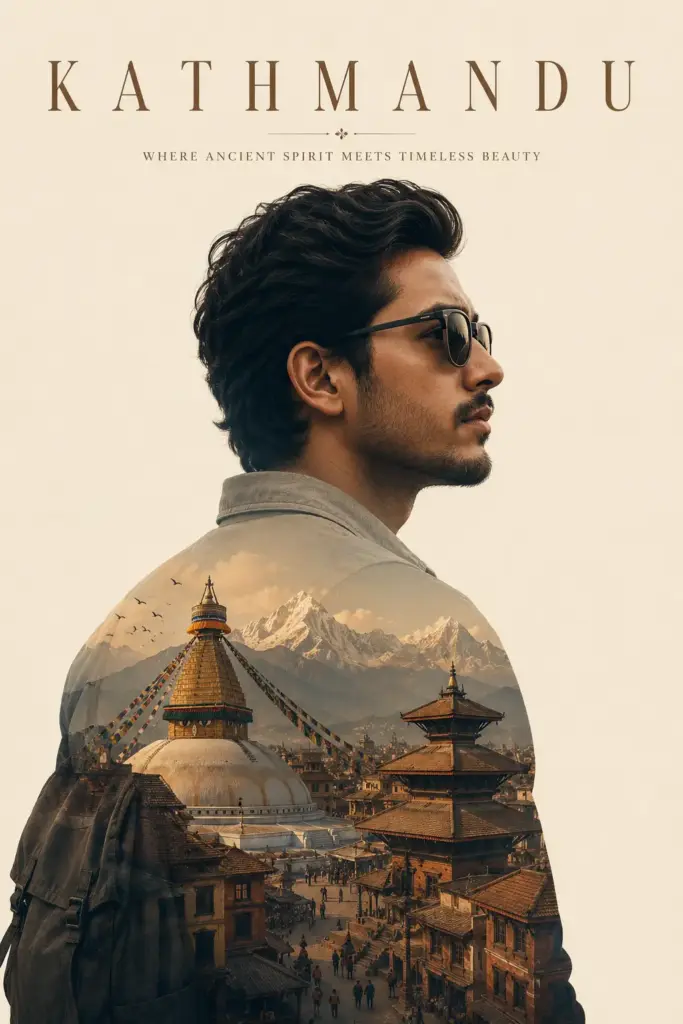
Why This Template Works
A few small details in the wording are doing a lot of heavy lifting, so it helps to understand them.
The line about keeping the face and head sharp is what stops the whole image from turning into a blur. Without it, the scenery tends to wash over the entire figure and you lose the person completely. By telling ChatGPT to keep the face clear and let the body hold the scenery, you get that clean separation that makes these posters look professional.
The cream background and matching color palette is what ties everything together. Instead of a harsh white or a busy backdrop, the soft cream lets the silhouette and the scenery breathe, and the color cues keep the poster from looking mismatched.
Asking for serif capitals at the top with a small tagline below gives it that editorial, movie-poster finish. It’s a simple touch, but it’s the difference between a nice edit and something that looks like it belongs on a wall.
Adjust the Result
ChatGPT gets it right most of the time, but if something feels off, a quick follow-up message fixes it.
If the scenery looks too faint or too heavy, tell ChatGPT to make the landscape blend into the lower body and clothing while keeping the face fully sharp. That one line solves most blending issues.
If you don’t like the tagline it picked, just ask for a different one or give it your own. The same goes for the text color. You can ask it to match the mood of the place, like deep green for hill stations or warm navy for coastal spots.
And if the face doesn’t look enough like you, upload a clearer photo and ask it to keep your features recognizable. The better your reference photo, the better the likeness.
Make It a Series
The real fun starts when you make more than one. Since every poster uses the same template, they all share the same look, the same cream background, the same clean profile, the same elegant text at the top. Line up a few different places and you’ve got a matching travel series that looks like a real collection.
You can also use them in plenty of ways once you’ve made a few. They work as wall art when printed, as a profile or cover photo on your travel accounts, or as a clean graphic to pair with a trip recap or a reel. Because the style is so consistent, posting them as a set looks intentional and polished rather than random.
If you want to take it further, you can lean into themes. Make a series of only hill stations, only beaches, or only the cities you’ve lived in. The shared format holds them together no matter how different the places are, and the contrast between locations actually makes the set more interesting to look at.
These print beautifully too, so they make lovely keepsakes from a trip or a simple gift for someone who loves to travel. Save your favorites, swap in a new place whenever the mood strikes, and build out your own little gallery of the places that mean something to you.